
Multi-Condition Alerts on TradingView

1Multi-Condition Alerts on TradingView

Automate Your Trading Strategy

For many traders, waiting for the “perfect setup” often involves staring at screens for hours, waiting for three or four different indicators to align. TradingView’s Multi-Condition Alerts feature solves this problem by allowing you to combine multiple criteria into a single, automated alert.

A recent tutorial from TradingView breaks down exactly how to use this powerful tool to streamline your workflow and reduce screen time. Here is a summary of the key takeaways.
Tradingview, Technical, Fundamental, Economic, Market Report, Crypto Market Report, Commodity Market Report, Gold, Silver, Crudeoil, Nifty, Banknifty, Sensex, Forex,

What Are Multi-Condition Alerts?

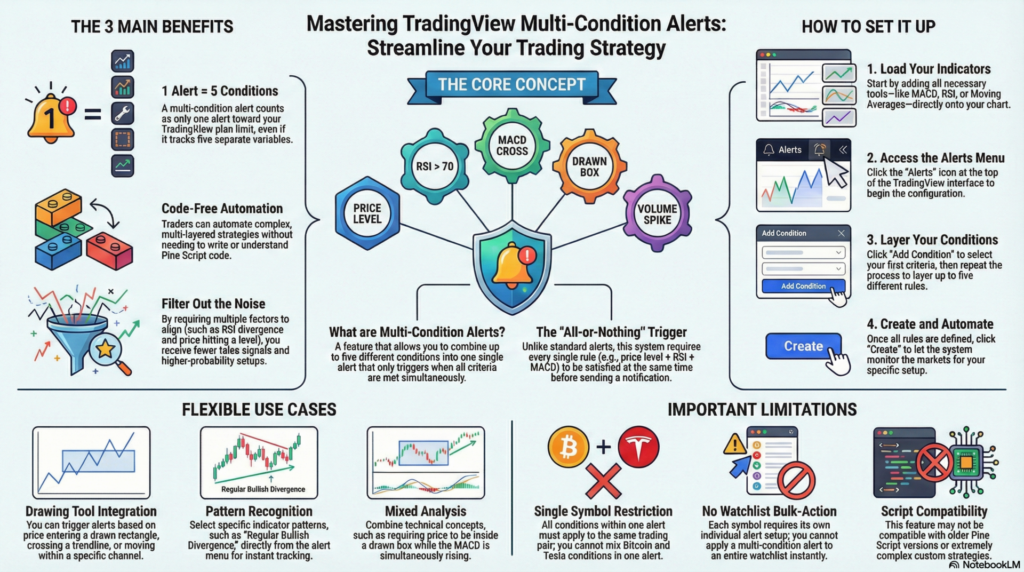
Simply put, this feature allows you to combine up to five different conditions—based on price levels, indicator signals, or drawing tools—into one single alert. The alert will only trigger when all conditions are met simultaneously.

The 3 Main Benefits

  1. Code-Free Automation: You can effectively automate complex strategies without needing to know a single line of code.
  2. Efficiency: Instead of using up five separate alerts for one strategy, a multi-condition alert counts as just one alert towards your plan’s limit.
  3. Precision: By requiring multiple factors to align (e.g., price hitting a level AND RSI diverging), you filter out noise and receive fewer false signals.

How to Set It Up

The video demonstrates the setup using Bitcoin and Tesla charts. Here is the general workflow:

  1. Add Your Indicators: First, load the indicators you want to use onto your chart (e.g., MACD, RSI, Moving Averages).
  2. Open the Alerts Menu: Click the “Alerts” icon at the top of the screen.
  3. Add Conditions:
    • Click “Add Condition”.
    • Select your first criteria (e.g., “Price crossing down 20,000”).
    • Click “Add Condition” again to layer a second criteria (e.g., “MACD crossing up”).
    • Repeat for up to five conditions.
  4. Create: Once all conditions are defined, click “Create.” The alert will now sit in your system and will only ping you when every single rule is satisfied at the same time.

Flexible Use Cases

The tutorial highlights that this feature isn’t just for standard indicators. You can also trigger alerts based on:

  • Drawing Tools: Set alerts for price entering a specific channel, rectangle, or crossing a trendline.
  • Divergence: You can select specific indicator patterns like “Regular Bullish Divergence” on the RSI directly from the alert menu.
  • Mixed Analysis: You can mix different technical concepts, such as requiring price to be inside a drawn box while the MACD is rising.

Important Limitations

  • Same Symbol Only: All conditions must apply to the same trading pair (e.g., you can’t have an alert that requires Bitcoin to be up and Tesla to be down).
  • Watchlists: You cannot apply one multi-condition alert to an entire watchlist instantly; each symbol needs its own alert setup.
  • Script Compatibility: This feature may not work with some older Pine Script versions or complex strategies.

By using Multi-Condition Alerts, you can step away from the charts with the confidence that you will only be notified when your high-probability setup is actually ready.


aiTrendview Global Disclaimer

This report is fully AI-generated and is provided strictly for informational and educational use only. It is not investment advice, financial guidance, legal opinion, tax consultation, or professional recommendation of any kind. aiTrendview and its operators are not SEBI-registered research analysts, investment advisers, or portfolio managers. All data is automatically compiled from public sources that may contain inaccuracies, delays, or missing information. If you act on this content without verifying it independently, that is entirely your responsibility.

Nothing in this report is a recommendation to buy, sell, hold, or speculate in any asset or security. aiTrendview, its creators, developers, affiliates, and associated AI systems accept zero liability for financial loss, legal trouble, or personal consequences arising from the use of this material. By reading or using this report, you accept full responsibility for your decisions. Unauthorized copying, redistribution, or modification of this content is prohibited and may result in legal action under intellectual property and compliance laws.
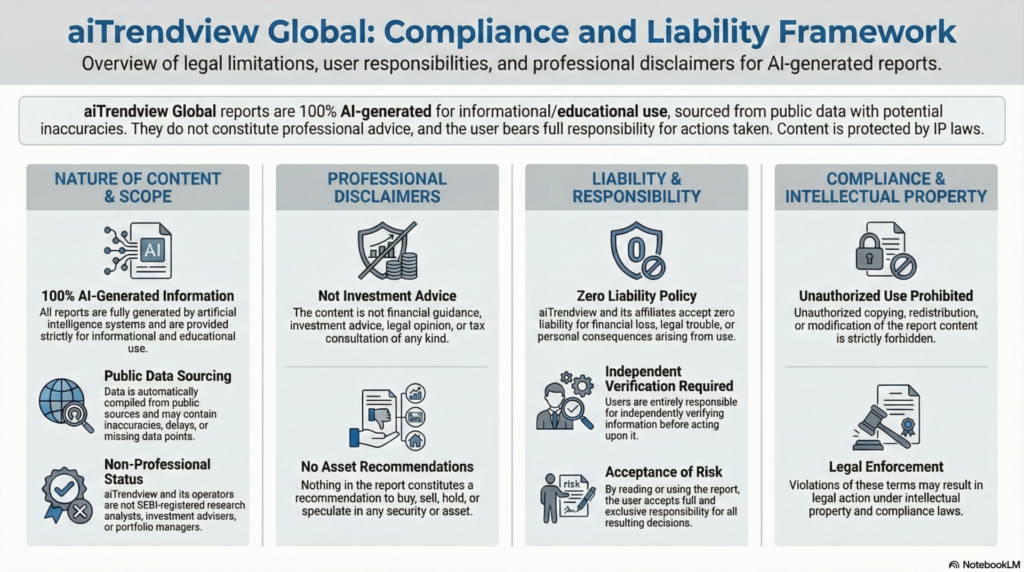

aiTrendview Disclaimer
Share this post :
Facebook
WhatsApp

Start To Invest And Earn More

Lorem ipsum dolor sit amet consectetur adipiscing elit dolor